取得
SSL 網站憑證
網站伺服器為 Apache ,請取得 Apache 使用的檔案
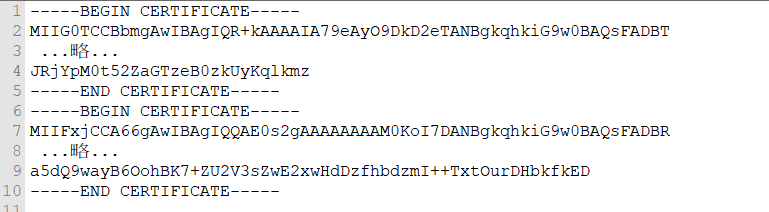
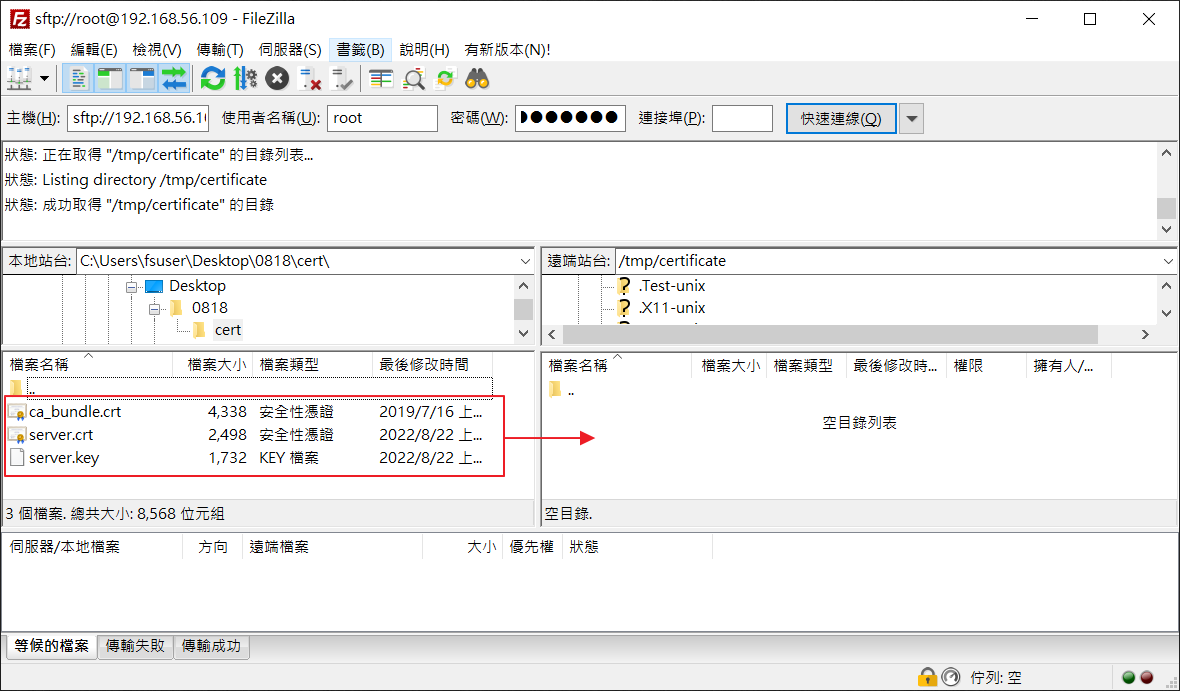
更換憑證需要以下三個檔案
- 私密金鑰 (無須加密)
- 中繼憑證 (可能不只一個)
- 網站憑證
# CentOS 7
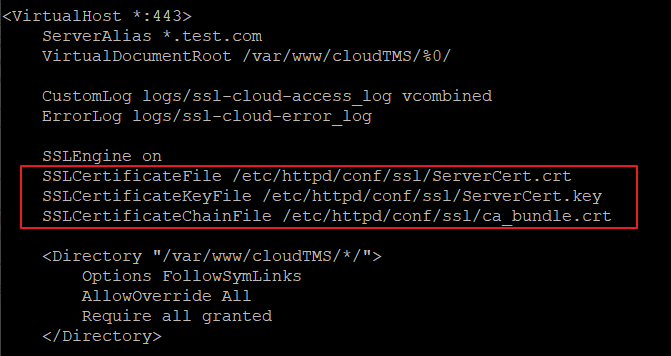
cat /etc/httpd/conf.d/vhosts.conf

# ubuntu 22.04
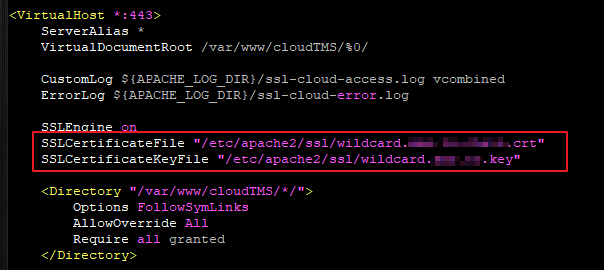
cat /etc/apache2/sites-enabled/vhosts.conf
# 語法
cp /tmp/新憑證檔名 /apache/config/path/舊憑證檔名

# 範例
cp /tmp/certificate/server.crt /etc/httpd/conf/ssl/ServerCert.crt
# 請自行替換檔案路徑與名稱 ( /apache/config/path/舊憑證檔名 )
# 印出金鑰資訊
openssl rsa -noout -modulus -in /apache/config/path/舊憑證檔名

# 印出憑證資訊
openssl x509 -noout -modulus -in /apache/config/path/舊憑證檔名
# 重啟網站服務
# CentOS 7
systemctl restart httpd

# ubuntu 22.04
systemctl restart apache2